Travel eSIMs, Phone Numbers, Calls, Texts and 2FA: What Canadians Need to Know
Most travel eSIMs are data-only, so they do not give you a phone number and cannot receive texts sent to your Canadian number. To keep getting verification codes abroad, keep your Canadian line on in a dual-SIM phone with data roaming off, or move important accounts to an authenticator app, passkey or backup codes before you leave.
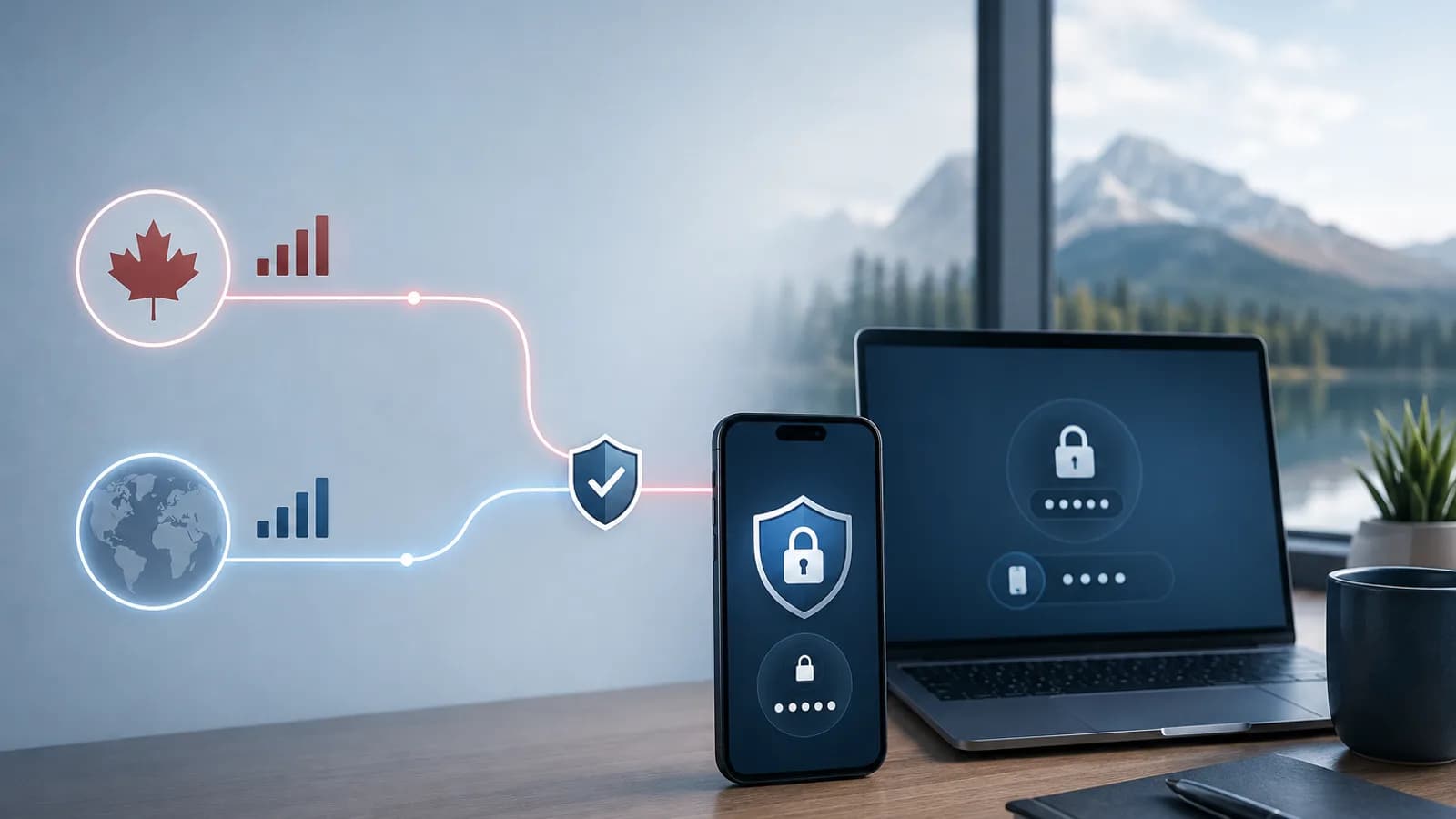
A travel eSIM can give your phone mobile data abroad without replacing your Canadian number. That makes it useful for maps, messaging, email, rideshare apps, and account access, but it does not automatically provide a phone number, traditional calls, SMS, or a way to receive every verification code.
The setup that works for many Canadian travellers is a dual-SIM arrangement: your Canadian line stays available for essential calls or texts, while the travel eSIM is selected for mobile data. Whether that is the right choice depends on your phone, your carrier, your destination, and the terms of the eSIM plan.
Quick answer
Most travel eSIMs are data-only. They provide internet access but not a local phone number or traditional voice and SMS service. Some plans include a number, calls, and texts, but the details vary by provider and destination.
You can often keep your Canadian number in the same phone while using a travel eSIM for data if:
- Your phone supports dual SIM and is unlocked.
- Your Canadian line remains active.
- Your travel eSIM is selected as the mobile data line.
- Data roaming is off for your Canadian line.
- You understand what your carrier charges for roaming calls, texts, voicemail, or other use.
For two-factor authentication (2FA), a data-only travel eSIM cannot receive an SMS sent to your Canadian number. The code may still arrive on your Canadian line if it is active and your carrier supports service abroad. For important accounts, set up an authenticator app, passkey, security key, email option, or backup codes before leaving Canada whenever the service allows it.
If you are new to the technology, start with what a travel eSIM is and how it works.
Data-only vs voice and SMS travel eSIMs
Data-only eSIMs
A data-only plan is designed to connect your phone to the internet. It usually does not include a regular mobile number, a local voice mailbox, or carrier SMS.
With data, you can generally use:
- Google Maps or Apple Maps.
- WhatsApp, Signal, Messenger, and similar apps.
- iMessage and FaceTime when your Apple account and settings support them.
- Email, web browsing, translation, and social apps.
- Airline, hotel, transit, banking, and rideshare apps.
- App-based voice and video calls.
“Generally” matters because service still depends on coverage, your device settings, the app, and the plan’s network access. A data-only plan is not a replacement for a regular phone line when you need to call a number that does not use an internet calling app.
Plans with a number, calls, or texts
Some travel plans include a phone number or a bundle of voice and SMS. Read the plan description carefully because “calls and texts included” can mean different things. Check:
- Whether the number is local to the destination or from another country.
- Whether incoming calls and texts are included, or only outgoing use.
- Which countries you can call or text.
- Whether calls to special, toll-free, premium, or service numbers are excluded.
- Whether the plan supports receiving verification messages from banks or other short codes.
- How long the number stays active and whether it can be topped up.
- Whether the plan supports hotspot use and other features you need.
An eSIM with voice and SMS may be a better fit for a longer stay, local bookings, or work that requires regular phone calls. It still may not provide the same service as your Canadian subscription, so compare the actual terms rather than relying on the plan label. See how travel eSIM calls and texts work for a feature-by-feature comparison.
Can you keep your Canadian number active?
Often, yes. On a compatible dual-SIM phone, your Canadian SIM and travel eSIM can remain installed together. You can assign them different jobs:
- Canadian line: your usual number and essential carrier messages.
- Travel eSIM: mobile data abroad.
Keeping the Canadian line active does not mean it is free to use abroad. Your carrier may charge for calls you make or answer, outgoing texts, voicemail retrieval, or data. The treatment of incoming SMS varies by carrier and plan. A daily roaming pass may also be triggered by certain activity, depending on its terms.
For this reason, “keep the line on” and “use the line normally” are different decisions. Review your carrier’s current international roaming policy before departure, especially if you need regular voice service. You can also compare a carrier roaming pass with a travel eSIM.
The usual lower-risk configuration is:
- Keep the Canadian line on only if you need access to the number.
- Set the travel eSIM as the mobile data line.
- Turn off data roaming on the Canadian line.
- Turn off automatic data switching or backup data switching.
- Turn on data roaming on the travel eSIM only if that provider requires it.
- Avoid answering or placing regular calls on the Canadian line unless you know the cost.
Menu names differ by phone. The dual-SIM settings guide and phone settings guide for avoiding roaming charges cover the main iPhone and Android controls.
How 2FA and verification codes work abroad
Two-factor authentication is not one single technology. The safest setup depends on how the service sends the second factor.
SMS codes to your Canadian number
If a bank or other service sends a code by SMS to your Canadian number, the message must reach your Canadian line. A data-only travel eSIM does not receive that message just because it is providing data.
You may receive the code if your Canadian line is active and your carrier supports roaming service in that destination. Some carriers treat incoming SMS differently from outgoing SMS, calls, or data, but you should confirm the current terms rather than assume receiving a message is free or guaranteed.
Do not turn off or remove the Canadian line until you have confirmed that the accounts you need do not rely on it. If your phone has no network connection for that line, an SMS code may be delayed or unavailable.
Authenticator apps
An authenticator app generates codes on the phone, usually without needing cellular SMS at the moment you sign in. It can work over the travel eSIM, Wi-Fi, or sometimes offline, depending on the service and app.
Before travelling, confirm that the authenticator account is already set up and that you know how to restore it if your phone is lost or replaced. Do not wait until you are abroad to discover that the app was never enrolled or that its backup is unavailable.
Passkeys, security keys, and trusted devices
Passkeys, hardware security keys, and approval prompts on a trusted device can avoid dependence on SMS. They can still have device, account, or recovery requirements, so add and test them before the trip.
Save backup codes somewhere secure and accessible offline if the service provides them. Treat backup codes like passwords: do not store them in a public note or share them casually.
Email and voice verification
Some services offer email or voice-call verification. Email works over the travel eSIM’s data connection, but a voice call to your Canadian line has the same carrier and roaming considerations as any other call. A service may also limit which verification methods are available during a risky login.
Bank and carrier caveats Canadians should check
Travel connectivity can help you reach a banking app, but it cannot override a bank’s security rules. A bank may ask for an additional check when you sign in from a new country, device, network, or browser. It may also pause a transaction, require a Canadian number, or limit support for certain verification methods while you are away.
Before you leave, check the following with your bank or card issuer:
- Which 2FA methods are enabled on your account.
- Whether an authenticator app, passkey, or backup codes can be added.
- Whether travel notifications are still required for your card.
- How to reach fraud support from outside Canada.
- Whether your contact information is current.
Check your Canadian carrier separately. Ask how the plan treats incoming and outgoing SMS, calls, voicemail, Wi-Fi Calling, and roaming passes in your destination. Wi-Fi Calling can be useful on some phones and plans, but availability and billing depend on the carrier and setup; it is not a universal guarantee that calls or SMS will be free abroad.
If your Canadian line uses a physical SIM, leave it in the phone only when you understand the tradeoff between number access and roaming exposure. If you do not need the number, turning the line off can reduce the chance of use, but it also removes that line’s ability to receive calls and texts.
iMessage, SMS, FaceTime, and WhatsApp
iMessage and FaceTime
iMessage and FaceTime use an internet connection, so they can work over a data-only travel eSIM. On iPhone, check Settings > Messages > Send & Receive before departure. Keep your Apple ID email address enabled as an address for iMessage, and keep your Canadian line active if you want to continue using the Canadian number for iMessage.
Blue-bubble iMessage traffic is different from green-bubble SMS. SMS is tied to carrier service on a phone number. If your Canadian line is disabled, SMS messages to that number cannot arrive through the travel eSIM. If iMessage phone-number activation is interrupted, using your Apple ID email can provide a practical fallback for iMessage conversations.
Do not remove the Canadian line or change your number in Apple settings casually while travelling. Re-activation can depend on the line’s ability to receive SMS, and the exact behaviour varies by device and account state. The guide to using iMessage, WhatsApp, FaceTime, and maps with a travel eSIM has more app-specific notes.
WhatsApp uses data after your account is set up. Installing a travel eSIM does not normally change the WhatsApp number attached to your account. Keep using the account with your Canadian number unless you intentionally want to change it.
The important exception is account recovery. If you reinstall WhatsApp, move to a new phone, or are asked to verify the account again, WhatsApp may send a code to the registered number. Make sure you have a recovery plan before disabling the Canadian line or replacing the phone.
Practical setup checklist
Before leaving Canada
- Confirm that your phone supports eSIM and is unlocked. Check eSIM compatibility and how to check whether a phone is unlocked.
- Choose a plan that covers every destination and check whether it is data-only or includes voice and SMS.
- Read when the plan’s validity starts. Installation and first connection are not always treated the same way.
- Install the eSIM over reliable Wi-Fi and save the provider’s instructions offline. The travel eSIM installation guide explains the usual process.
- Label the lines clearly, such as “Canada” and “Travel data.”
- Confirm the Canadian line’s roaming terms, including incoming SMS, calls, voicemail, and Wi-Fi Calling.
- Add and test a non-SMS 2FA method for important accounts where available.
- Save backup codes and the bank’s international support contact securely offline.
- Check iMessage Send & Receive and confirm WhatsApp is working before you go.
When you arrive
- Turn on the travel eSIM and select it as the mobile data line.
- Turn off data roaming on the Canadian line.
- Follow the travel provider’s instructions for data roaming on the travel line.
- Turn off automatic data switching.
- Test a website, map, and messaging app before leaving the airport.
- Send yourself a test message from an account that uses your chosen 2FA method if practical.
- Keep the Canadian line off or on according to the plan you checked, not according to a generic phone tip.
During the trip
- Watch which line is selected for mobile data, especially after a restart or software update.
- Avoid regular calls, outgoing SMS, and voicemail on the Canadian line unless you understand the charge.
- Use app-based calls and messaging when suitable.
- Keep your phone charged and retain offline copies of key travel details.
- If your plan is running low, check what happens when you run out of eSIM data before the phone falls back to Canadian roaming.
Troubleshooting common problems
The verification code never arrives
First, check that the Canadian line is turned on and shows a network connection. Confirm that the number on the account is correct and that you have not accidentally disabled the line, put the phone in airplane mode, or blocked the sender. Wait before requesting repeated codes; some services invalidate older codes or temporarily limit requests.
If the Canadian line has no service, connect to Wi-Fi and use an authenticator app, passkey, backup code, or another method that you set up in advance. Contact the bank or service through its official support channel if the account remains inaccessible. A data-only travel eSIM cannot force an SMS to arrive.
Mobile data works, but calls or SMS do not
That is expected for many data-only plans. Use an internet calling or messaging app, or confirm that you bought a plan with voice and SMS. If you need your Canadian number, check the Canadian line’s roaming registration and carrier terms. Do not enable random settings or delete the eSIM as a first step.
iMessage sends as SMS or stops activating
Check that the travel eSIM is the data line, the Canadian line is active if you need its number, and your Apple ID email is enabled under Send & Receive. Restarting the phone can help it re-register, but do not repeatedly remove and reinstall the eSIM or iMessage settings without a recovery plan.
The eSIM has no data
Confirm that the plan covers the country, the travel line is on, and the travel eSIM is selected for data. Check the provider’s roaming and APN instructions, then restart the phone. If automatic network selection fails, try a supported network listed by the provider. Use the travel eSIM troubleshooting guide or no-service checklist for the next checks.
You received a roaming alert
Pause and review which line connected, which line is selected for data, and whether data roaming is enabled on the Canadian line. A notification does not by itself explain the final cost, so check the carrier’s current terms and usage record. If you do not need the Canadian line, turn it off for the remainder of the trip.
Frequently asked questions
Does a travel eSIM have its own phone number?
Usually not. Many travel eSIMs are data-only. A plan that includes voice or SMS may include a destination-specific number, but check the exact plan details.
Can I receive Canadian bank texts with a travel eSIM?
Not through the travel eSIM if it is data-only. You may receive them on your Canadian line if it remains active and your carrier supports SMS service abroad. This is carrier- and plan-dependent, so set up another verification method before travelling.
Will receiving an SMS abroad cost money?
It may or may not, depending on your Canadian carrier and plan. Incoming SMS is often treated differently from calls, outgoing texts, and data, but you should confirm the current roaming terms directly with the carrier.
Can I use my Canadian number for WhatsApp on a travel eSIM?
Yes. WhatsApp can use the travel eSIM’s data while keeping your existing account number. Avoid changing the WhatsApp number unless you intend to move the account.
Can iMessage work without my Canadian SIM?
It can work through data using an Apple ID email address, but phone-number-based iMessage and SMS require the relevant carrier line. Check Send & Receive before departure and keep a backup contact method.
Is a voice-and-SMS eSIM better than a data-only eSIM?
It depends on the trip. Choose voice and SMS when you need a local number or regular traditional calls. Choose data-only when your communication is mainly through apps and you can keep your Canadian number or use other 2FA methods safely.
Should I leave my Canadian SIM on while travelling?
Only if you need it and understand the carrier’s roaming rules. Leaving it on may preserve access to calls or verification texts, but activity on the line can create charges. Turning it off reduces that risk while also removing access to the line.
Can I use a travel eSIM for emergency calls?
Do not assume that a data-only eSIM is a complete emergency calling solution. Emergency calling depends on the country, network, device, and available line. Know the local emergency number and keep a reliable way to contact local help, your accommodation, and your travel companions.
Bottom line
For many Canadians, a travel eSIM is best treated as a separate data connection, not as a replacement for a Canadian phone subscription. It can support maps, app-based calls, iMessage, WhatsApp, banking apps, and other online services while your Canadian line stays available for essential texts or calls, subject to carrier rules.
Before you leave, decide which accounts truly depend on SMS, add backup 2FA methods, check your carrier’s roaming terms, and test both lines. Once abroad, keep the travel eSIM selected for data and control the Canadian line deliberately. That gives you a clearer balance between connectivity, number access, and cost control.